
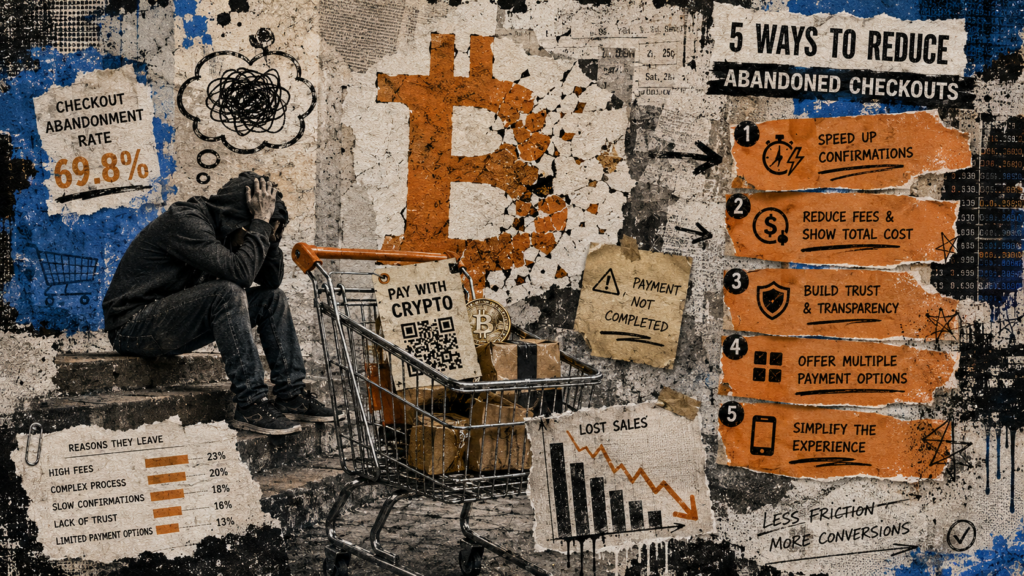
Crypto checkout abandonment usually isn’t about customers disliking crypto — most already decided to pay with it before landing on the page. What causes them to leave is confusion mid-flow: the wrong network, an unclear amount, or simply not knowing what to do next. Here are five fixes that consistently move the needle.
1. Separate currency selection from payment details
Showing an address and amount before the customer has confirmed which currency and network they’re using invites mistakes. Lock the currency choice first, generate the address second — that sequence alone prevents a large share of wrong-network payments.
2. Make the exact amount impossible to miss
Underpayment is one of the most common reasons a payment fails to auto-confirm. Display the exact amount in its own clearly labeled field, with a one-tap copy button — don’t bury it in a paragraph of instructions.
3. Give equal weight to both payment paths
Some customers will pay by copying an address into a separate wallet or exchange app; others expect to connect a browser wallet directly. Neither path is more “correct” — a checkout that visually favors one over the other pushes some customers toward a method they didn’t want to use.
4. Show progress, not silence
A blank “waiting” screen with no explanation reads as broken. A visible confirmation counter — “1 of 3 confirmations” — turns an unavoidable wait into reassurance that something is actually happening.
5. Make the timer honest about what it’s tracking
A countdown that implies “pay now or lose your invoice” adds unnecessary pressure and anxiety, especially for less experienced users. If the timer is actually tracking an exchange-rate refresh rather than invoice expiry, say so explicitly — it removes false urgency without losing the useful information.
Most checkout abandonment isn’t a pricing problem or a trust problem — it’s a clarity problem that a few interface decisions can fix directly.
NextWay Pay’s invoice flow separates currency selection, shows exact amounts with one-tap copy, and tracks confirmations live.